
CRM data cleanup before automation: a safe sequence
Clean up duplicates, stale records, stage definitions, and ownership in a controlled order before an automation or AI workflow can repeat bad assumptions.
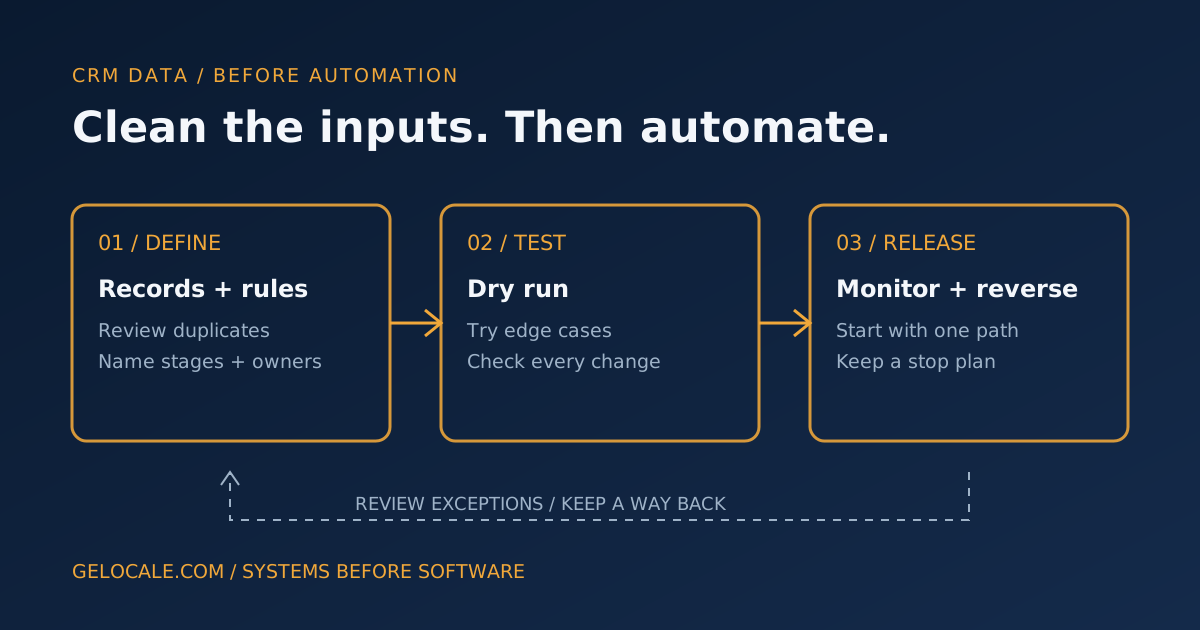
Automating a messy CRM does not clean it up. It lets yesterday’s duplicates, stale records, and inconsistent labels trigger tomorrow’s actions.
Before you connect a CRM to an automation or AI workflow, clean it in a deliberate order: protect a recoverable copy, decide what each record and field means, resolve only well-supported duplicates, handle stale records without blindly deleting them, assign ownership, and test the new rules before they touch live work.
The goal is not a perfect database. It is a dependable set of inputs for one specific workflow—and a safe way to stop if your assumptions are wrong.
1. Bound the change before editing records
Start with the automation you intend to build. List the fields it will read or change, which records it should ignore, and the action it will take.
Then set a boundary:
- Choose one pipeline, team, region, or date range for the first pass.
- Export or otherwise preserve the records, relevant associations, and field values you may change. Confirm what your export does and does not include.
- Record current counts and a sample of representative records.
- Pause or isolate automations that could fire on bulk edits or imports.
- Name one person who can approve the cleanup and stop the release.
This is not a promise that an export can restore every CRM feature. Associations, activity history, and system-specific metadata may not come back through a simple import. Check your platform’s recovery options before relying on an export as a complete backup.
Define “done” in observable terms: the workflow can identify an owner, a usable stage, and the next action without treating a blank field as “no.”
2. Separate likely duplicates from records that only look alike
Do not merge records just because their names resemble each other. A shared name, phone number, or company email can point to two real people; one person can also have several addresses or appear under different company names.
Create a review queue rather than an automatic merge rule. Start with stronger evidence, such as the same normalized email plus matching company or phone, and treat weaker matches as candidates for a person to inspect. For each pair, ask:
- Are these records the same person or organization?
- Which record has the best current contact details?
- Which source, consent preference, owner, and relationship history must be retained?
- Will merging change associations or trigger an automation?
Mark uncertain pairs “review,” not “duplicate.” Keep separate records for different people or buying relationships—even when they share an inbox. A repeat inquiry may need a new opportunity, not a new contact or a merge into an old deal.
Before merging, compare the fields you care about and decide which value should survive. HubSpot’s merge-records documentation explains that a merge combines record data and that merged records cannot be unmerged. That is a practical reason to resolve uncertain matches manually and preserve a before-change record of decisions.
3. Give stale records a safe destination
“No recent activity” is a signal to investigate, not proof a record is worthless. Long sales cycles, seasonal service, or work tracked outside the CRM can make valid records look quiet.
Define staleness for the workflow you are building. Use a time window that makes sense for your actual buying cycle, then check for evidence that should override it: an open service issue, an upcoming appointment, a recent reply recorded elsewhere, or an active contract.
For inactive records, choose a state such as needs review, inactive, or closed—not proceeding, with a reason where useful. Keep history available, but exclude the record from workflows for current prospects. A status change is not permission to delete it or send a reactivation campaign.
If marketing contact is involved, keep contact eligibility and sales status distinct. A record can be a valid customer history but not eligible for a particular message. Confirm the relevant consent and suppression fields before enrolling records in outbound workflows.
4. Make stage labels usable by the next workflow
This is a data contract for the fields the automation will depend on, not a whole-pipeline redesign.
For every stage the workflow reads, write down:
- Meaning: What has happened, in observable terms?
- Entry evidence: Which field, event, or human confirmation supports this stage?
- Owner: Who can confirm or correct it?
- Next step: What action, if any, should follow?
- Exceptions: What must not be routed or messaged automatically?
If two team members interpret “qualified” differently, the automation cannot make the label consistent. Pick a rule the team can apply, add a “needs review” route for uncertain records, and avoid inferring missing information from a blank field. The separate article on why CRM pipeline reports drift from reality looks at pipeline trust; here, the narrower job is making the fields used by a workflow explicit.
5. Assign a real owner—not just an owner field
A record needs someone accountable for its next step. “Unassigned” and a shared team name are not operational owners if nobody is responsible for checking the queue.
Set assignment rules—by service, territory, account, or triage queue—and define what happens when no rule fits. Give the assigned person a next action and an escalation route. Separately, name who owns system exceptions: failed updates, ambiguous classifications, or incorrect routing.
That separation matters. The CRM owner handles the customer work; the workflow owner keeps the system safe and corrects the underlying rule.
6. Test the rules before they can act
Build a small test set from real, appropriately handled examples. Include a confirmed duplicate, different people sharing an inbox, a stale but active customer, missing owner, blank stage, opt-out, and out-of-scope request. Protect personal details as appropriate.
For each example, write the expected outcome before running the workflow. Then check:
- Did the right records qualify—and did excluded records stay out?
- Did an update trigger another automation unexpectedly?
- Did the workflow overwrite a useful value with a blank or guess?
- Does every exception land in a queue someone checks?
- Can a reviewer explain why the record changed?
Start in a dry run, preview, or read-only mode where the platform allows it. HubSpot’s workflow testing guide describes testing criteria and simulating how a specific record would move through a workflow. Use that kind of record-level check before a bulk release, but also review the actual downstream actions and connected systems.
For AI-assisted classification, compare the suggestion with a human decision and preserve the original source information. If the task is deciding whether a lead fits, the AI lead qualification framework covers eligibility, uncertain cases, and human review. Data cleanup gives that workflow better inputs; it does not make model judgments authoritative.
7. Release in steps, with a stop and rollback plan
Begin with a limited batch or one intake path. Keep an audit trail of record IDs, old values, new values, timestamps, and the rule responsible. Check the first updates with the workflow owner before expanding.
Decide in advance what stops the release: an unexpected number of records changing, a customer routed to the wrong team, a suppressed contact entering marketing, or a merge that loses needed context. The recovery plan should say who disables the automation, how to identify affected records, which changes can be reversed, and who follows up with anyone affected.
Do not assume every action has an undo button. A field update may be repairable from a log; a sent email cannot be unsent, and a merged record may not be separable. Keep irreversible actions out of the first release, and require human approval where the impact is hard to reverse.
After launch, sample both changed and unchanged records. Track exceptions and corrections, not just successful runs. If people keep overriding a stage, fixing the workflow may mean clarifying the rule or changing the underlying process—not adding more AI.
Clean enough to automate safely
CRM data cleanup is a controlled change, not a one-time sweep for cosmetic neatness. Define the workflow’s inputs, preserve what you might need, review ambiguous records, make ownership explicit, test a representative set, and release with a way to stop.
If you want a second set of eyes on which fields and records need attention before you automate, bring the current CRM workflow to a Growth Systems Review. We can map the data dependencies and exception paths before you decide what should run automatically.